
Securely Disposing Of Old Computers
Retiring an old laptop or PC should not put your personal or business data at risk. Whether you are clearing a home office or upgrading a small business fleet, a careful process protects your information, meets UK regulations, and keeps harmful materials out of landfill. This guide shows you exactly how to do it, why a factory reset is not enough, and what certified data destruction really involves. It also explains how our secure collection and recycling service works within 50 miles of Northampton.
Why a factory reset is not enough
A factory reset removes your user profile and apps. It does not reliably overwrite the data stored on the drive. With the right tools, deleted files can often be recovered. For households and SMEs, that means emails, financial details, photos, and customer records could still be accessible. To safely dispose of a computer, the storage must be securely wiped or physically destroyed using approved methods, then recycled through a licensed service.
What certified data destruction means
Certified destruction is a documented process that proves your data has been rendered irrecoverable. In practice, that includes:
- Verified chain of custody from collection to processing, with controlled handling
- Standards based data wiping with multiple overwrite passes where appropriate
- Physical shredding or crushing for failed drives, SSDs, or when wiping is not viable
- Separation of materials for compliant recycling, with nothing going to landfill
- Certificates of data destruction available on request, listing device details
As a fully licensed, insured provider regulated by The Environment Agency, we follow a clear procedure for every collection.
Should you destroy the hard drive before recycling
You do not have to smash or drill a drive yourself. Uncontrolled destruction risks injury, scattering sharp fragments, and contaminating your space with fine particulates. It also breaks the chain of custody and may complicate compliant recycling. The safer route is to:
- Back up what you need
- Log out of accounts and deauthorise devices
- Hand the intact device to a licensed collector that provides secure wiping or shredding with certification
How to wipe a computer before recycling
If you want to prepare a device at home or in the office, follow these steps:
- Back up important files to an external drive or a secure cloud. Verify the backup opens.
- Sign out of accounts on the device. Deauthorise software licences for services such as Microsoft 365, Adobe, and iTunes. Remove the device from account dashboards where applicable.
- Disable Find My features on Apple devices and remove from Apple ID. Turn off BitLocker or FileVault only if your wiping tool requires it.
- For HDDs, use a reputable disk wiping utility that performs full overwrite passes across the entire disk. For SSDs, use the manufacturer’s secure erase tool or a trusted utility that issues the drive’s built in secureerase command. A simple quick format is not adequate.
- Confirm wipe or erase completion reports. If in doubt, request certified wiping or shredding from a licensed recycler.
If this seems time consuming, we can manage the entire process and provide certificates for your records.
Pre collection checklist
Prepare your items for safe handover and efficient processing:
- Log out of email, cloud storage, browsers, and messaging apps
- Remove accessories you want to keep, such as dongles, SIMs, SD cards, and personal cables
- Unplug batteries or UPS units from mains power and store them upright
- Label business assets with any internal IDs to match certificates later
- Store equipment in a dry, secure place away from heat and moisture
- Keep devices intact, do not dismantle, to maintain safety and traceability
For homes and businesses within 50 miles of Northampton, we schedule fast pickups and can offer free collection for 10 or more items that meet acceptance criteria.
How data security is addressed in our process
We design our service around confidentiality and compliance:
- Collection by vetted staff, with vehicle checks and secure routing
- Chain of custody recorded from pickup to processing
- Segregation of data bearing assets on arrival
- Standards based wiping for HDDs and SSDs, with fall back to mechanical shredding where required
- Asset level reporting and certificates of destruction on request
- Material recovery through approved downstream partners, with nothing sent to landfill
- Full insurance and Environment Agency regulation, audited for adherence
This gives residents and SMEs confidence that data is handled correctly, and that recycling is eco friendly and transparent.
How do you safely dispose of an old computer in the UK
Follow a structured approach:
- Back up your files and remove accounts or device locks
- Decide whether to self wipe with the correct tools, or request certified destruction
- Use a licensed WEEE recycler with insurance and clear chain of custody
- Obtain a certificate if you are a business or storing sensitive data
- Ensure the recycler confirms compliant downstream treatment
Avoid household bins or skip hire for electronics. WEEE must go through approved routes. If you are searching for help, you can use our local service for secure pickups and compliant processing.
Compliance matters for businesses
Under UK data protection law, you are responsible for safeguarding personal data until it is properly destroyed. That includes data on retired devices. Using a licensed provider with certificates of destruction helps demonstrate compliance and reduces risk. Our service supports audits with clear documentation, and our insurance provides additional assurance for IT asset disposal.
What we collect and recycle
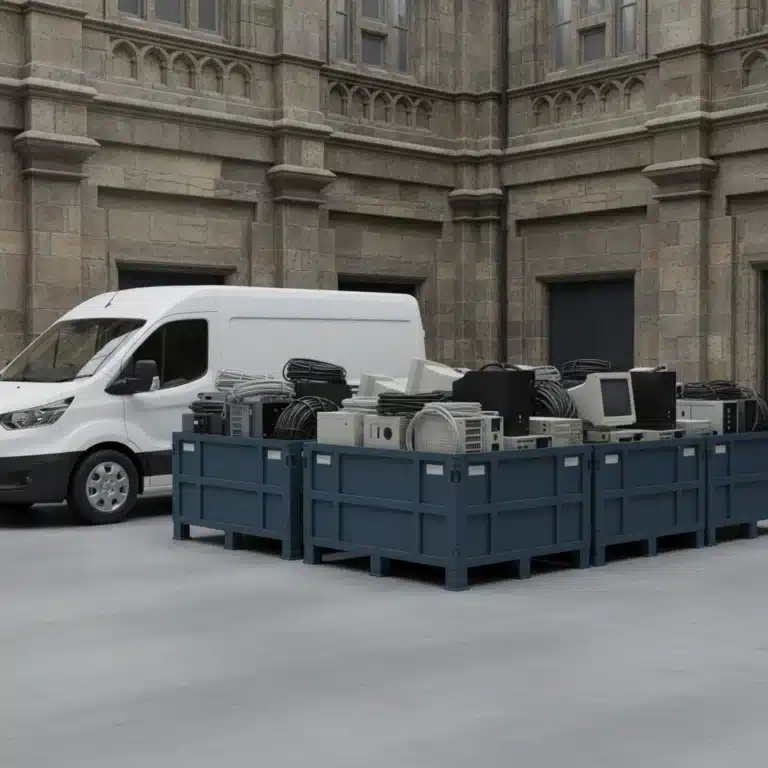
We accept laptops, desktops, all in ones, servers, storage arrays, networking gear, and mobile devices. We also take cables, peripherals, and mixed small electricals. Unsure about a specific item or volume collections for office clear outs, speak to Daniel Moore to confirm eligibility and to plan a convenient pickup.
Our service area and how to book
We cover homes and businesses within a 50 mile radius of Northampton. Collections are available seven days a week. For 10 or more items that meet our criteria, collection is free. We tailor collection windows to suit your schedule and provide fast turnaround on certificates where requested.
You can request a pickup, ask about data destruction options, or confirm whether your items qualify for free collection. We respond quickly with clear guidance and a booking time.
Useful local options and further reading
If you are looking for a trusted local provider, our team can help with secure e waste collection and business electronics recycling. For residents and SMEs comparing providers, consider licensing, insurance, data handling procedures, and whether certificates are available.
- Learn more about secure e-waste disposal in Northamptonshire on our website
- If you are clearing an office or upgrading staff kit, explore business e waste recycling for an overview of compliant routes and documentation
- For local pickups across homes and schools, see e-waste collection for service details
Summary
To dispose of an old computer safely, do more than a factory reset. Back up your data, remove accounts, and ensure the drive is securely wiped or physically destroyed by a licensed recycler. Keep devices intact until collection, store them safely, and document destruction if you hold personal or business data. Within 50 miles of Northampton, Northamptonshire E waste and Electrical Recycling provides insured, Environment Agency regulated collection, secure wiping or shredding, and certificates of destruction on request. Book a pickup when convenient and retire your equipment with confidence, security, and a clear chain of custody.